 RoboPioneer
What king-crab fleet managers need from operations software
A practical guide to connecting vessels, crews, safety tasks and trip records across sea and shore.
Start with the trip, not the dashboard
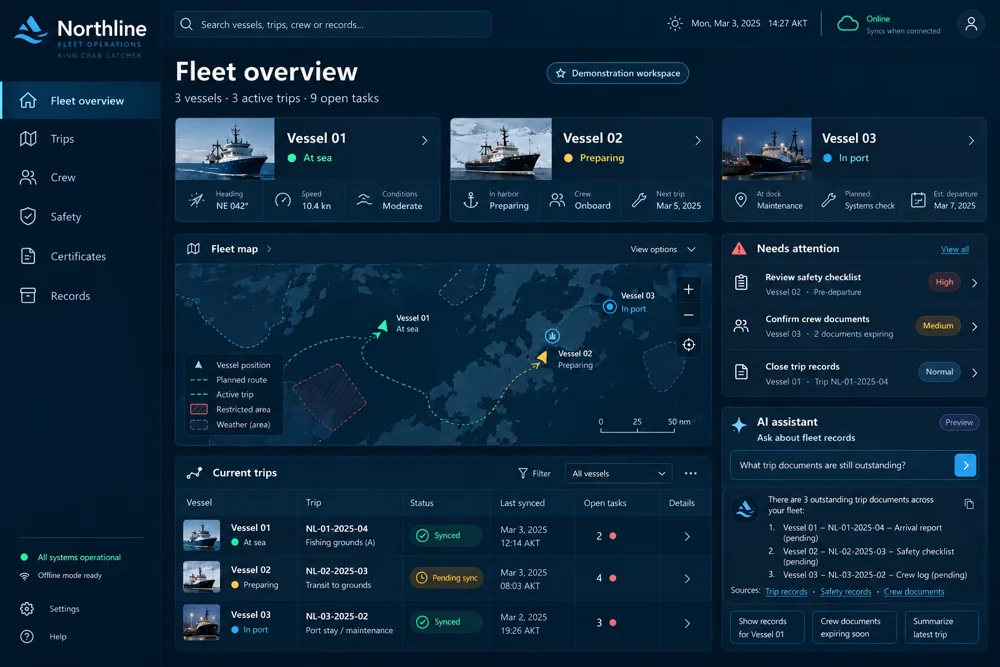
For a king-crab catcher fleet manager, the useful unit of work is a vessel on a particular trip. Crew readiness, open tasks, safety records and closeout documents all need that context. Begin by mapping what the shore team must know before departure, what the crew records at sea and what must be reviewed when the vessel returns. A dashboard becomes useful when it leads directly to those records.
Make connectivity part of the workflow
An offshore workflow should tell people whether a record is saved on the device, waiting to sync or confirmed by the shared system. These are different states. A crew member needs a clear next step when connectivity drops, while a fleet manager needs to know how recent the visible information is. Northline’s positioning centers on this continuity between vessel work and shore coordination.
Put attention beside responsibility
A list of outstanding documents is easier to act on when each item identifies its vessel, trip, responsible role and status. Separate preparation tasks from records awaiting review. Keep the original entry and subsequent changes understandable so the handoff between crew and office does not depend on a message buried in a chat thread.
Evaluate one complete voyage workflow
Use a fictional trip to walk through preparation, offline entry, reconnection and closeout. Ask the people responsible for each stage to complete their normal tasks. Review duplicate entry, unclear ownership and missing context before expanding the rollout. This exercise provides a concrete basis for discussing a Northline demonstration and the integrations your fleet needs.